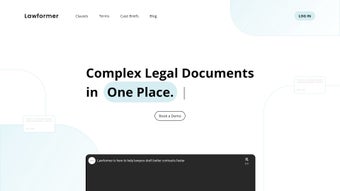

Скачать Lawformer – AI‑поддерживаемое программное обеспечение для составления и управления контрактами
Overview
Lawformer — это AI‑управляемая платформа для составления и управления контрактами, разработанная специально для юридических профессионалов, которым нужна скорость, точность и безопасность в каждом создаваемом соглашении. Используя передовую обработку естественного языка, инструмент разбирает контракты на отдельные пункты, определения и обязательства, предоставляя пользователям детальный обзор каждой части. Такой детализированный подход не только ускоряет процесс составления, но и снижает риск пропуска критически важных положений. Lawformer оснащён обширной, адвокатами отобранной библиотекой пунктов, охватывающей коммерческие соглашения, трудовые контракты, соглашения о неразглашении и многое другое. Пользователи могут персонализировать библиотеку, отражая фирменный язык, обеспечивая согласованность бренда во всех документах. Помимо возможностей составления, Lawformer интегрирует специализированный учебный центр под названием Lawformer Classroom, где юристы, параюристы и студенты‑юристы могут получать доступ к интерактивным курсам, викторинам и практическим упражнениям по составлению. Встроенное хранилище кейс‑брифов дополнительно обогащает исследовательский процесс, предоставляя быстрый доступ к релевантным судебным решениям. Хотя платформа превосходно справляется с задачами, связанными с контрактами, в настоящее время она не поддерживает многоязычные контракты и автоматическую генерацию пользовательских пунктов. Тем не менее, её безопасная облачная архитектура, регулярные обновления AI‑моделей и соответствие основным стандартам защиты данных делают её надёжным решением для фирм, стремящихся модернизировать жизненный цикл контрактов. Независимо от того, являетесь ли вы одиночным практиком, средним корпоративным юридическим отделом или академическим учреждением, Lawformer предлагает единое, безопасное рабочее пространство, объединяющее составление, обучение и совместную работу в одном интуитивном интерфейсе.
Key Features that Transform Contract Workflows
- AI‑Assisted Clause Segmentation: Instantly breaks down complex contracts into searchable clauses, definitions, and obligations.
- Attorney‑Curated Clause Library: Thousands of pre‑vetted clauses covering commercial, employment, NDAs, SaaS, and more.
- Custom Personal Libraries: Tag, organize, and reuse firm‑specific language with drag‑and‑drop simplicity.
- Lawformer Classroom: Interactive video lessons, quizzes, and drafting simulations for continuous professional development.
- Case‑Brief Repository: Quick access to concise summaries of relevant judicial opinions that support clause selection.
- Version Control & Audit Trail: Every amendment is logged, providing full transparency for compliance audits.
- Secure Cloud Storage: End‑to‑end AES‑256 encryption protects confidential contract data across devices.
- Regular AI Model Updates: Monthly improvements add new clause variations and keep the system aligned with evolving legal standards.
- RESTful API & DMS Connectors: Seamless integration with SharePoint, NetDocuments, iManage, and other document management systems.
- Cross‑Platform Access: Web‑based interface works on Windows, macOS, Linux, Android, and iOS devices.
The combination of an AI‑powered drafting engine and an educational environment is unique in the legal‑tech market. When a user uploads a contract or starts from a template, the AI immediately highlights missing or inconsistent clauses and suggests relevant language from the library, dramatically cutting manual review time. The classroom component shortens the learning curve for junior lawyers, allowing them to practice real‑world drafting scenarios within the same secure environment they will use for client work. Moreover, the built‑in audit trail satisfies stringent regulatory requirements, making it easy to demonstrate who changed what and when—a critical feature for firms handling high‑value or highly regulated agreements. Together, these capabilities turn Lawformer into a single, all‑in‑one hub where drafting, reviewing, learning, and compliance coexist without the need for multiple disparate tools.
Installation, Usage & Compatibility
Getting Started Quickly
Lawformer is delivered primarily as a cloud‑based web application, eliminating the need for traditional software installation. Prospective users create an account on the official website, confirm their email address, and can immediately log in via any modern browser (Chrome, Edge, Firefox, Safari). For organizations that prefer on‑premises deployment, Lawformer offers a Docker‑based container image that can be run on Windows Server, macOS, or Linux environments. Detailed step‑by‑step documentation guides administrators through pulling the Docker image, configuring SSL certificates, and setting up role‑based access controls.
System Requirements & Operating Systems
The cloud version runs smoothly on Windows 10/11, macOS Monterey or later, and major Linux distributions such as Ubuntu 20.04+ and Fedora 33+. Mobile apps are available for Android 8.0+ and iOS 13+. The Docker container requires a minimum of 4 GB RAM, 2 CPU cores, and 10 GB of storage. A stable internet connection of at least 5 Mbps is recommended for optimal performance, especially when loading large PDFs or streaming classroom videos.
First‑Time Workflow
After logging in, users are welcomed with an interactive guided tour that highlights the dashboard, clause library, and classroom sections. To draft a new agreement, click “Create New Document,” choose a template or upload an existing PDF, and the AI instantly parses the document into editable clauses. Users can drag clauses from the library, customize language, and add inline comments.
Real‑time compliance checks run in the background, flagging jurisdiction‑specific requirements and suggesting missing provisions. Once the draft is complete, a single click generates a polished Word or PDF file, complete with a revision history log that can be exported for audit purposes. Team collaboration is seamless: colleagues can comment, approve, or reject changes through a built‑in workflow engine, with all activity recorded in the audit trail.
Support, Updates & Pricing
Lawformer provides 24/7 email support and live chat during business hours. Cloud users receive automatic updates that include AI model refinements, new clause additions, and fresh classroom content. On‑premises customers are notified of updates and can schedule maintenance windows via the admin console. Pricing is subscription‑based with a free 14‑day trial that unlocks the full feature set; after the trial, plans start at $49 per user per month, with volume discounts available for enterprise deployments.
Conclusion, Pros & Cons, Frequently Asked Questions & Call to Action
Pros & Cons
- Pros:
- AI‑driven clause segmentation cuts manual review time dramatically.
- Extensive, attorney‑curated clause library with full personalization.
- Integrated learning platform accelerates skill development for junior lawyers.
- Secure cloud storage with end‑to‑end encryption and detailed audit trails.
- Cross‑platform compatibility (Windows, macOS, Linux, Android, iOS).
- Regular AI model updates keep the tool aligned with current legal trends.
- RESTful API and pre‑built connectors simplify integration with existing DMS.
- Cons:
- Focused exclusively on contract drafting; other legal document types are unsupported.
- No native custom clause generation – users must edit existing clauses.
- Multi‑language support is not yet available, limiting global adoption.
- On‑premises Docker deployment requires technical expertise.
Frequently Asked Questions
Can I export contracts in formats other than Word or PDF?
Yes. Lawformer also supports export to Rich Text Format (RTF) and plain‑text (.txt) for cases where minimal formatting is required.
Is there a free trial available?
Lawformer offers a 14‑day free trial with full access to the clause library, classroom courses, and AI features. No credit card is required to start the trial.
How does Lawformer handle data privacy?
All data is encrypted at rest and in transit using AES‑256 and TLS 1.3. Lawformer complies with GDPR, CCPA, and ISO 27001 standards, and offers data‑residency options for EU customers.
Can I integrate Lawformer with existing document management systems?
Yes. Lawformer provides RESTful APIs and pre‑built connectors for popular DMS platforms such as SharePoint, NetDocuments, and iManage.
Is training required for my team to start using Lawformer?
No extensive training is needed. The built‑in guided tour, video tutorials, and the Lawformer Classroom together ensure users become proficient within a few hours.
Final Verdict & Call to Action
Lawformer stands out as a comprehensive, AI‑enhanced solution that brings together contract drafting, clause management, and continuous legal education under one secure roof. While its current focus on English‑language contracts and the absence of native multi‑language support are limitations, the platform’s strengths—automation, a robust clause library, real‑time compliance checks, and a built‑in learning hub—make it a compelling choice for law firms, corporate legal departments, and academic institutions alike. If you aim to reduce drafting time, enforce consistency across agreements, and empower your team with practical training, Lawformer delivers on all fronts. Download Lawformer today, start your free 14‑day trial, and experience a smarter, faster way to draft contracts.






